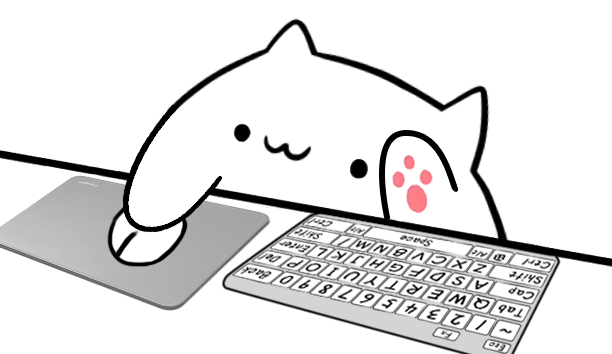
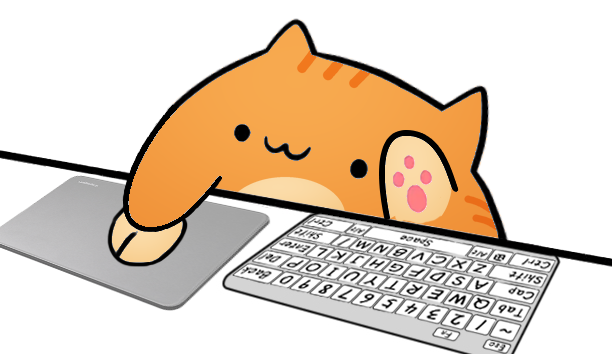
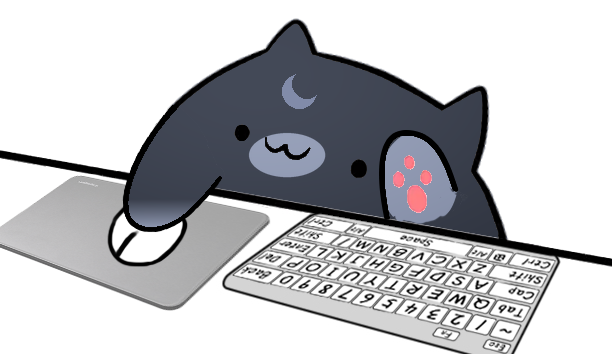
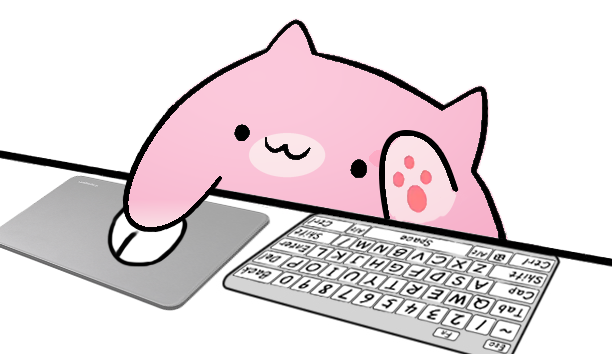
Overlay Cat helps streamers design a playful input overlay for live tutorials, game streams, desk-cam scenes, OBS layouts, and TikTok Live. Try the cat below: press keys, click left or right, and watch the action change instantly.
A Bongo Cat overlay turns real keyboard and mouse input into a visible reaction layer. It makes stream actions easy to follow while keeping the scene playful, compact, and recognizably yours.
Keys and shortcutsMouse clicksGamepad inputsStream scenes
Live reactionKeyboard and mouse input, made visible.
Built for live creators
Bongo Cat overlay for OBS and TikTok Live
Use the same reactive visual language across a widescreen OBS scene, a vertical TikTok Live frame, a game stream, or a software tutorial. The cat supports the content instead of competing with it.
OBS scenes
Give every input a place in the layout.
Put the reactive cat beside gameplay, a webcam, or a desk camera. The visual layer provides context for shortcuts, movement, and click-heavy moments without blocking the main feed.
TikTok viewers make fast decisions. A compact reaction layer gives clips and live moments a repeatable visual signature, whether the creator is typing, navigating, or playing with a gamepad.
Keyboard overlay and input overlay for tutorials, games, and live demos
A keyboard overlay answers the question viewers keep asking: what did the creator press? Overlay Cat keeps that answer visible for hotkeys, shortcuts, letters, arrow keys, and gamepad actions.
01
Show the action
Make timing and key choices readable in a tutorial or competitive match.
02
Keep the personality
Use the reactive cat where a plain key display would feel too technical.
03
Match character and style
Preview six Bongo Cat characters with full, compact, arrow, mouse, and gamepad styles.
Keyboard, mouse, arrows, and gamepad-ready reactions.
A simple setup path
From an interactive preview to a stream-ready scene
01
Try the live preview
Press keys and click in the homepage preview to feel the cat react.
02
Choose character and style
Compare six Bongo Cat characters and five Desktop input styles before committing to a layout.
03
Build for OBS or TikTok
Use Overlay Cat Desktop when your live scene needs system-level keyboard and mouse capture.
Plan, test, and build
Input overlay resources for a better stream setup
Move from a broad idea to a specific scene. Compare commercial workflows, test browser input, start from a practical template, or follow an illustrated platform guide.
Landing page
OBS input overlay
See how keyboard, mouse, arrow-key, and gamepad reactions fit into an OBS Browser Source workflow.
These concise answers explain what the product does, where browser input stops, and how a reactive cat fits into a real streaming workflow.
What does a Bongo Cat overlay do?
A Bongo Cat overlay converts keyboard, mouse, arrow key, or gamepad activity into visible character reactions. Instead of showing only a technical key map, it places an animated cat above the input hardware so viewers can see the rhythm of typing, clicking, movement, and controller actions. Overlay Cat separates the character from the input style: creators can choose one of six cats, then pair it with a full keyboard, compact keyboard, arrow-key, mouse, or gamepad layout. The result is useful for gameplay, software tutorials, coding streams, creative work, and any broadcast where important actions happen outside the camera frame. The homepage provides a browser-based preview, while the Desktop app is designed for production capture and stream-ready use.
Can a website detect keyboard and mouse input?
A website can respond to keyboard and mouse events while its page is active, but it cannot monitor arbitrary input across other applications. Overlay Cat's homepage uses standard browser events to change PNG Sprite layers immediately when a visitor presses a supported key or mouse button. The preview input is processed in the browser and is not stored as an input history. When another tab, a game, OBS, or a desktop application has focus, the website preview stops receiving those events. Overlay Cat Desktop is the correct tool for system-level capture during a live stream. This division keeps the web demo easy to try while making the boundary between page-scoped input and production desktop input explicit. See the MDN KeyboardEvent reference for the underlying browser event model.
How does a Bongo Cat overlay fit into OBS or TikTok Live?
In OBS, a Bongo Cat overlay can sit beside gameplay, a webcam, chat, or a desk camera so input becomes part of the scene without covering the main content. OBS supports browser sources for web-based widgets, while Overlay Cat Desktop is intended to provide the system-level keyboard, mouse, and controller reactions needed when another application is focused. TikTok Live and vertical clips have less screen space, so a compact keyboard or gamepad style is usually easier to place than a full hardware layout. The character should remain readable, but the reaction layer should support the creator rather than compete with the video. Creators can compare every character and style on the website before planning the final scene. See the official OBS Browser Source guide for browser-source behavior and sizing controls.
Creator guide
How reactive input visuals improve stream clarity and personality
This guide explains where a reactive cat, input layer, and key display fit into OBS scenes, TikTok Live clips, tutorials, and games. Start with the interactive preview, then use the details below to plan a scene that viewers can understand at a glance.
Published by Overlay Cat
What makes a reactive cat overlay useful?
A Bongo Cat overlay is a small animated character that sits on top of a stream layout and reacts when the creator types, clicks, or performs an input action. Viewers immediately understand that something happened because the cat moves with the rhythm of the keyboard and mouse. In practice, it turns ordinary input into visible performance. Instead of showing a plain key list or a silent cursor, the streamer gets a small character that taps, paws, and changes expression while the broadcast continues.
Overlay Cat is designed around that simple idea: make input easier to see and more fun to watch. The site and desktop app show typing, mouse clicks, and shortcut reactions for people who stream with OBS, record tutorials, or publish vertical clips for TikTok. The goal is not to bury visitors in settings. The goal is to help a streamer build a clean overlay quickly, test it directly, and bring it into a scene without fighting the tool.
Why streamers use an input overlay
An input overlay solves a real communication problem. When a viewer watches a speedrun, rhythm game, coding session, drawing lesson, productivity walkthrough, or competitive match, the most important action may happen on the keyboard or mouse rather than inside the camera frame. A visible input layer shows that action without making the creator explain every click. It can make difficult gameplay easier to follow, make tutorial steps more trustworthy, and make a quiet stream feel more responsive.
A reactive cat adds personality to that utility. A standard input display can be useful, but it often looks technical and detached from the rest of the stream. A cat that reacts to input feels more alive. The movement gives viewers a tiny reward each time the creator presses a key, and that rhythm can make long sessions easier to watch. For streamers on OBS, it also gives a scene a recognizable visual hook that is simple to place beside chat, alerts, camera, or gameplay.
Keyboard overlay, mouse clicks, and viewer clarity
A keyboard overlay can show typing, shortcuts, hotkeys, and controls that would otherwise be invisible. This is especially useful for software tutorials, music production, design streams, coding sessions, and games where timing matters. When a viewer can see the keys respond in real time, they do not need to guess whether the creator used a shortcut, clicked a menu, or triggered a command from a stream deck.
Mouse clicks matter for the same reason. Left clicks, right clicks, and held buttons can change what the viewer understands about an action. Overlay Cat listens for browser keyboard, mouse, and gamepad events in the live demo, while the desktop app captures system-level input so the character keeps reacting as the creator works in a game, broadcast tool, or another desktop app. On the website, the demo stays inside the page for privacy and browser safety.
Built for OBS scenes and TikTok clips
OBS is where many creators assemble their broadcast, so a good Bongo Cat overlay should behave like a dependable scene asset. It should be visually clear on light or dark layouts, easy to crop, and simple to place near a webcam, keyboard camera, or gameplay area. Overlay Cat keeps the visual language clean so the cat can sit inside a professional stream scene without turning the whole layout into a novelty graphic.
TikTok clips need a slightly different rhythm. Vertical videos have less room, faster pacing, and stronger pressure to communicate instantly. A compact reaction layer can help short clips feel active even when the camera view is small. For TikTok Live, the cat can give the scene a repeating visual signature that viewers remember. The best version is not loud; it is legible, quick, and charming enough to support the creator without competing with the content.
Helpful customization without visual clutter
A useful overlay builder should let creators customize the cat, input behavior, and output format while keeping the setup understandable. Overlay Cat uses the same PNG Sprite packages on the website and in the Desktop app: six characters, each with mouse and full keyboard, arrow keys and full keyboard, mouse and compact keyboard, arrow keys and compact keyboard, and gamepad layouts. Every combination can be tested in the homepage demo and reused as a stream asset.
The customization should support the streamer's content, not distract from it. This is why the interface avoids excessive panels, nested settings, and decorative noise. The first job is to preview input. The second job is to create an overlay that can be added to a broadcast scene or prepared for short-form content. The third job is to make future editing predictable, so creators can update visible key controls without rebuilding the scene from scratch.
Designed for creators, not keyword repetition
This website is written for creators who are deciding whether the reactive cat is useful for their stream. The page explains what the overlay does, where it fits, and why keyboard and mouse visibility can improve the viewer experience. That matters because good SEO should help search engines understand a page while still giving real visitors enough information to make a decision. The terms are present because they describe the product and the platforms creators care about. They are not here to replace useful explanation.
The same principle guides the product. A streamer should be able to land on the page, press a few keys, click the mouse, choose a Bongo Cat character and input style, and understand the value before downloading anything. If the interactive module makes the idea obvious, the rest of the page can provide depth: use cases, setup expectations, character choices, and platform downloads. That is the shape of a helpful page for Overlay Cat.